
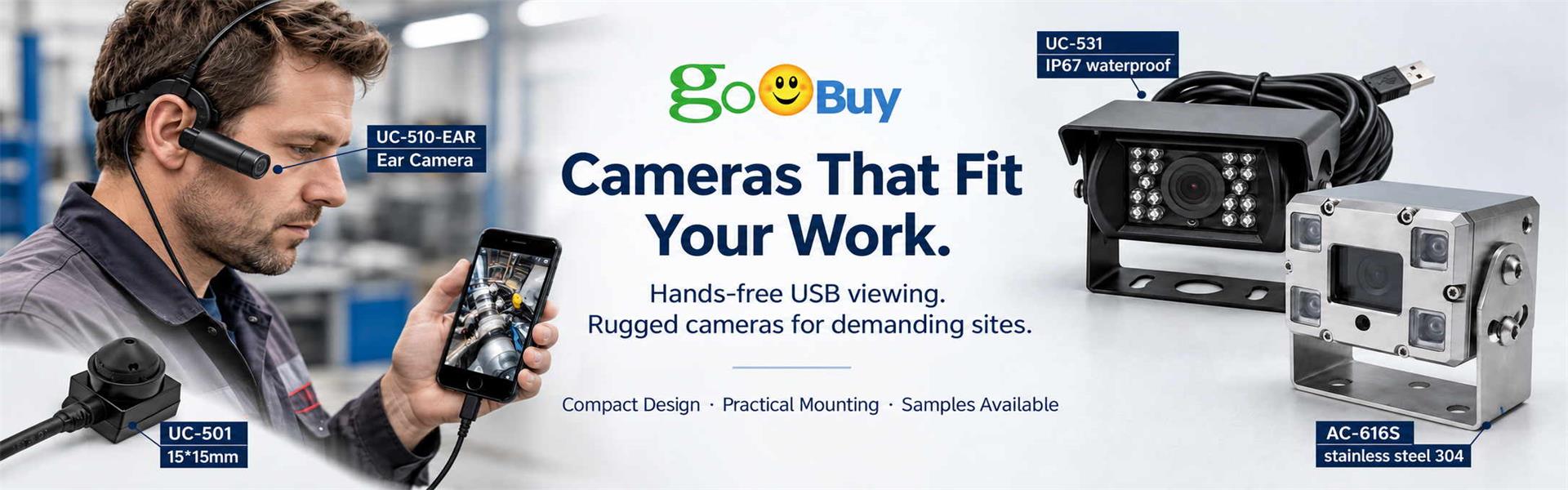
The Goobuy Android UVC Camera App allows compatible Android phones and tablets to view and record video from UC-711 and UC-711B wearable USB cameras. It supports a hands-free external-camera workflow through USB-C or OTG, while UC-711B separately adds Bluetooth earphone calling for field service and technical work.
The Goobuy Android UVC Camera App is designed for UC-711 and UC-711B wearable USB cameras, allowing compatible Android phones and tablets to display and record external UVC camera video through a USB-C or OTG connection.
The app gives UC-711 and UC-711B users a convenient way to test the camera, view live first-person video and record hands-free work without relying on the phone's built-in camera.
UC-711 Supported · UC-711B Supported · Android UVC · USB-C / OTG · Live View & Recording
Download the Android application below for use with compatible Goobuy UC-711 and UC-711B wearable USB cameras.
[Download Android UVC Camera App]
Before installation, confirm that your Android phone or tablet supports USB Host / OTG operation and allows installation of the provided Android application.
Android devices vary in USB implementation, power output and external-camera support. For commercial deployment, test the complete camera + Android device + app combination before volume use.
Download and install the Goobuy UVC Camera App on the compatible Android phone or tablet.
Wear the UC-711 or UC-711B and connect its USB camera cable to the Android host through the appropriate USB-C or OTG connection.
Open the app. When Android requests permission to access the connected USB device, allow access to the UVC camera.
The external camera places the viewpoint close to the technician's viewing direction.
This allows the Android device to receive first-person video while the technician keeps both hands available for:
Equipment repair
Field service
Maintenance documentation
Equipment inspection
Technical demonstrations
Hands-on training
The UC-711B adds an important capability beyond a standard wearable USB camera.
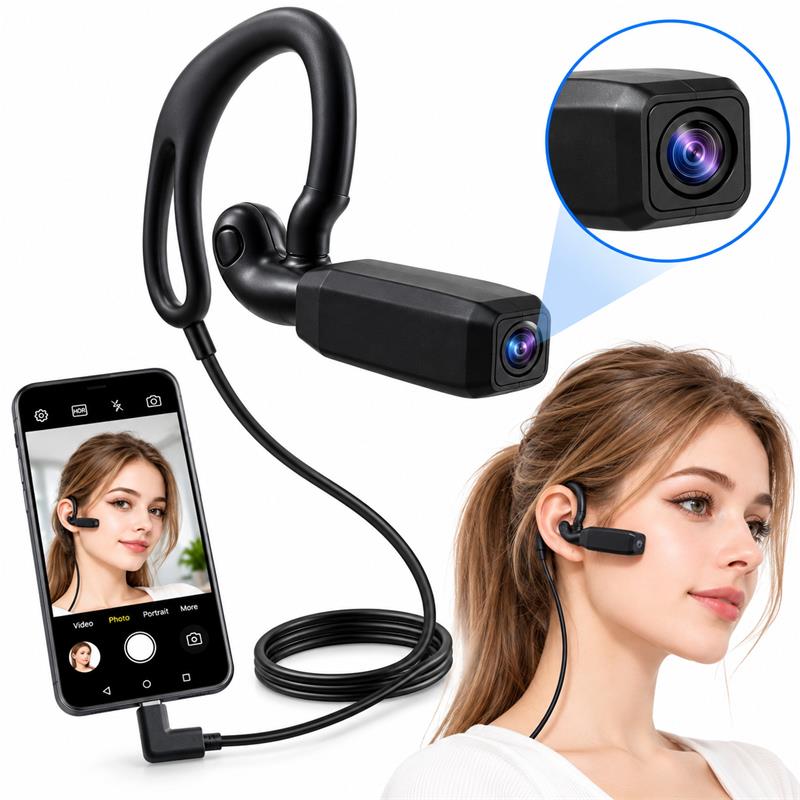
Goobuy UC-711B Bluetooth Ear-Mounted USB Camera
UC-711B combines two separate connections:
USB-C UVC → Camera Video
The camera sends up to 1080P first-person video to the compatible Android device through the wired USB connection.
Bluetooth 5.0 → Earphone Calling
The built-in Bluetooth earphone can pair with a compatible smartphone for phone-call audio.
This combination is useful for field-service technicians who may need to show what they are working on, record the procedure and remain available for voice communication while keeping both hands free.
Important: Bluetooth does not transmit the UC-711B camera video wirelessly. Camera video is transmitted through USB. Bluetooth provides the separate earphone calling function.
You do not need UC-711B's Bluetooth function to use the Android camera application.
The standard UC-711 wearable USB camera can use the same app for compatible Android UVC video operation.
This gives buyers two configurations around the same basic hands-free camera workflow:
UC-711
Wearable USB UVC camera for first-person Android video.
UC-711B
Wearable USB UVC camera plus Bluetooth earphone calling.
Choose UC-711 when the primary requirement is hands-free video. Choose UC-711B when the workflow also benefits from Bluetooth phone-call functionality.
A smartphone camera provides good image quality, but its viewpoint stays with the phone.
For a technician repairing equipment, checking wiring or demonstrating a procedure, holding and repositioning the phone can interfere with the actual work.
UC-711 and UC-711B move the camera viewpoint from the Android device to the technician.
The phone can remain in a pocket, holder or other convenient position while the wearable camera follows the user's head movement and provides a first-person working view.
That makes the combination particularly useful when the task requires:
Hands-free work + Android video + first-person viewpoint.
Before ordering UC-711 or UC-711B for a commercial application, confirm that the intended Android device supports:
USB Host / OTG
External USB UVC cameras
The required USB connection
Sufficient USB power
Goobuy UVC Camera App operation
For UC-711B, Bluetooth calling behavior should also be tested with the intended smartphone.
A USB-C connector alone does not guarantee external-camera compatibility.
Goobuy develops compact USB camera platforms for applications where the required camera viewpoint cannot be achieved conveniently with the host device's built-in camera.
UC-711 and UC-711B extend that concept to hands-free first-person viewing, helping field-service companies, repair teams, equipment suppliers and technical training providers position the camera close to the person doing the work.
For commercial projects, send us your Android device model, working distance, application, recording requirements and required communication workflow. We can help determine whether UC-711, UC-711B or another Goobuy external USB camera platform is the more practical starting point.
Follow Me
Address:A615, 6F, Huachuangda Building, No107 Xinghua 1st Road, 43 District, Xinan street, Baoan, shenzhen, China 518101