
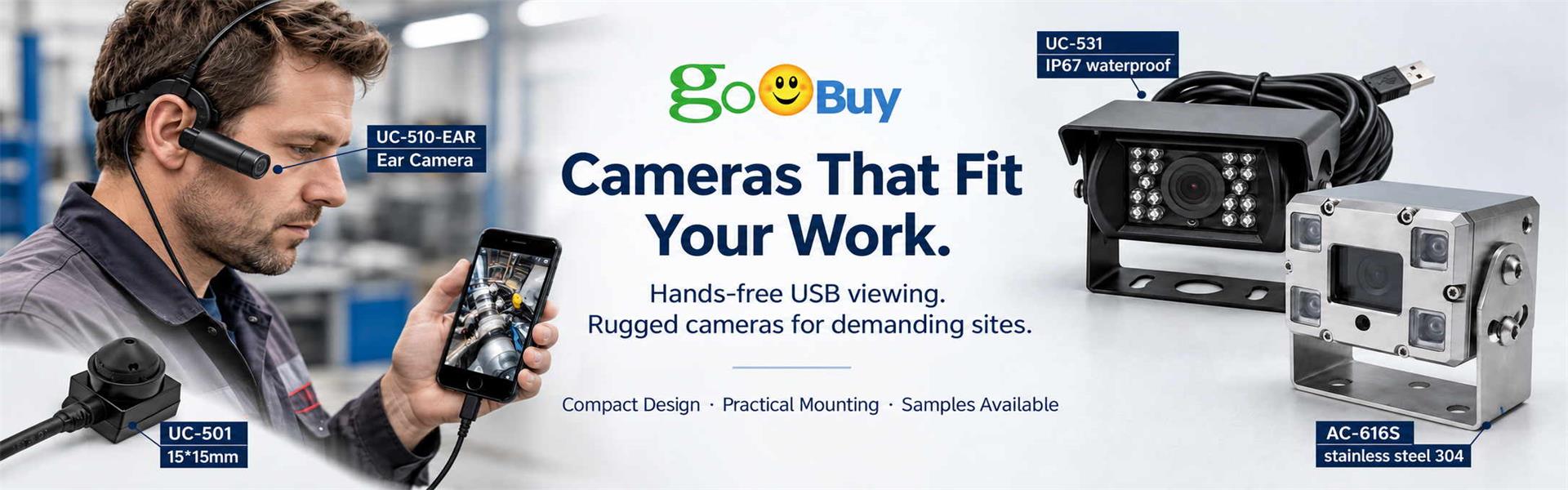
A hands-free repair recording camera allows technicians to document repair procedures, equipment inspections and maintenance work from a first-person viewpoint while keeping both hands available for the task. The Goobuy UC-510-EAR is an ear-worn USB-C POV camera that connects to a compatible Android phone through a UVC camera application, providing a practical recording solution for electronics repair, appliance maintenance, field service and technical training
Repair technicians often need both hands to handle tools, remove components, test equipment and complete service procedures. Holding a smartphone to record the work is inconvenient, while placing it on a tripod may not capture the details from the technician's actual working position.
A hands-free POV camera offers another option: it allows technicians to record their work from a first-person viewpoint while keeping both hands available for the repair. When connected to a compatible Android phone through USB-C, an external UVC camera such as the Goobuy UC-510-EAR can provide a practical recording setup without requiring a separate standalone camera system.
Smartphones are useful for taking photos and videos, but recording an actual repair procedure presents several practical challenges.
1. Holding a Phone Occupies One Hand
A technician may need both hands to hold a component, operate a screwdriver, connect wires or inspect a machine. Holding a phone at the same time makes the task more difficult.
2. A Tripod Cannot Follow the Work
A phone mounted on a tripod can record a general view of the workbench. However, the technician may move between different sides of a machine, open an equipment enclosure or work inside a confined area.
The fixed camera position may not capture the details that matter.
3. Important Repair Steps Can Be Missed
Technicians frequently need to stop working to reposition the phone, adjust the camera angle or take additional photos. This interrupts the repair process and can leave gaps in the documentation.
4. Customer and Service Records May Be Incomplete
Repair businesses often need visual records to demonstrate:
The original condition of equipment.
The components inspected or replaced.
The repair procedures performed.
The condition after maintenance.
Any problems identified during inspection.
A consistent first-person recording workflow can make these records easier to review.
A wearable POV camera moves the camera viewpoint closer to the technician's viewing direction instead of keeping it fixed on a smartphone.
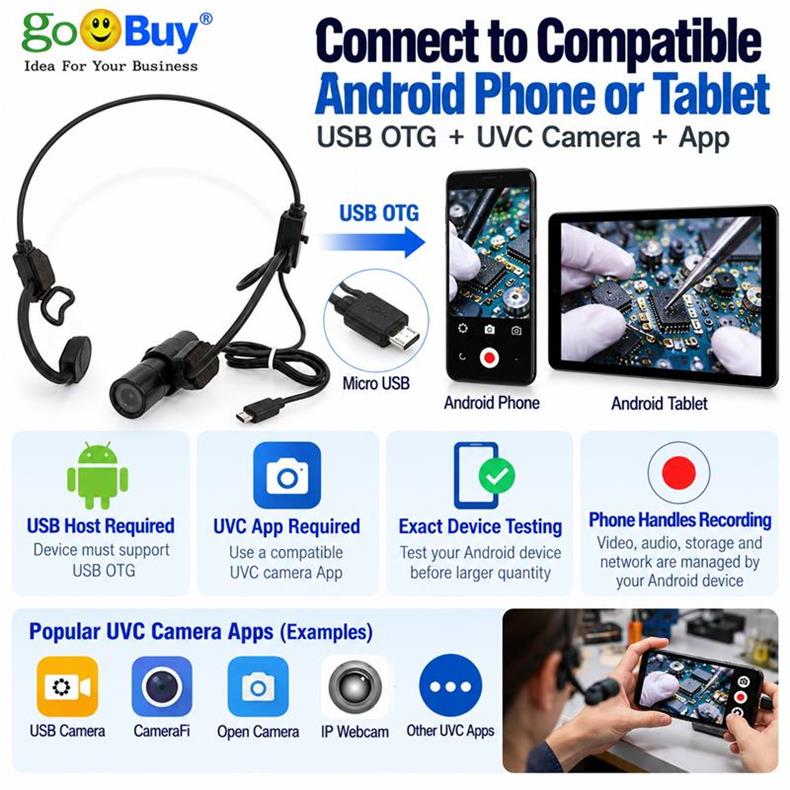
The basic setup is straightforward:
Wearable USB Camera → USB-C → Android Phone → UVC Camera App → Video Recording
The technician wears the camera near the viewing direction, connects it to a compatible Android phone and uses a supported UVC camera application to view and record the work.
The Android phone remains the display and recording host. The external camera provides a different viewpoint.
This approach is particularly useful when a business already uses Android phones or tablets for field service documentation.
Electronics technicians frequently work with small components, circuit boards, connectors and wiring.
A hands-free camera can record:
Opening an electronic device.
Removing damaged components.
Checking internal connections.
Replacing circuit boards or connectors.
Reassembling the equipment.
A first-person recording can help supervisors review repair procedures and allow new technicians to learn from actual service work.
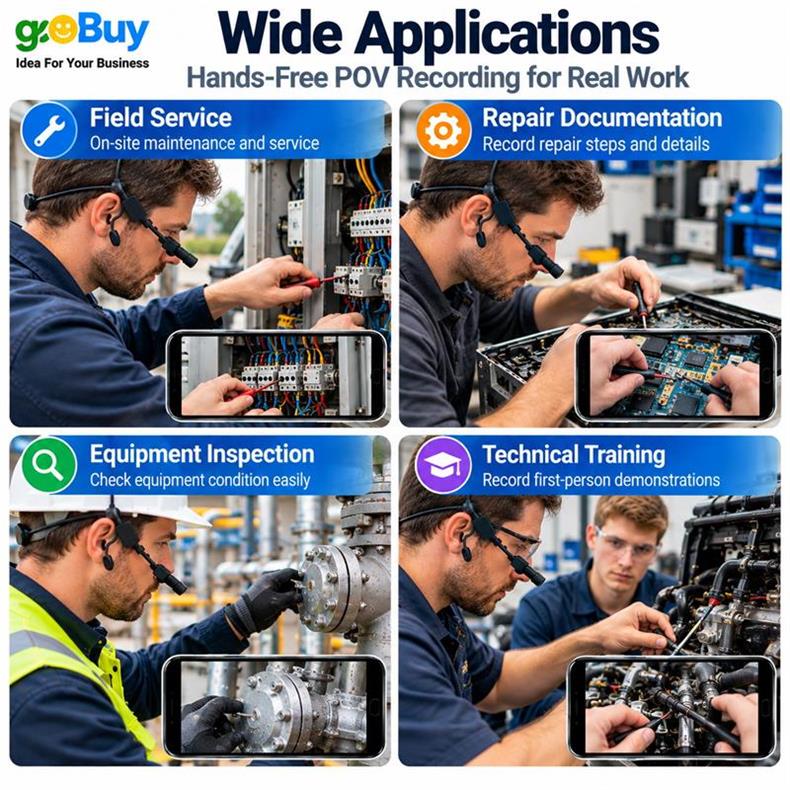
Appliance technicians often work inside washing machines, refrigerators, air conditioners and other household equipment.
During these procedures, holding a smartphone is inconvenient.
A wearable POV camera can capture the technician's working viewpoint while both hands remain available for tools and components.
Typical applications include:
Electrical connection inspection.
Component replacement.
Internal equipment maintenance.
Troubleshooting procedures.
Post-repair condition recording.
Field service technicians may need to inspect motors, control panels, electrical enclosures, pumps and mechanical assemblies.
A hands-free camera can record inspection and maintenance procedures while the technician moves around the equipment.
These recordings can support internal maintenance records, service reports and technical reviews.
For companies with multiple service technicians, a consistent recording setup can also help standardize how maintenance procedures are documented.
Installation companies often need to demonstrate that equipment has been installed and configured correctly.
A first-person camera can record:
Equipment installation steps.
Cable routing and connections.
Component assembly.
Initial inspection.
Final installation checks.
This can be useful when service managers or customers need to review work completed at a remote location.
Experienced technicians often have knowledge that is difficult to transfer through written instructions alone.
First-person repair videos can provide practical training materials showing how a technician approaches a real task.
Training teams can use these recordings to:
Demonstrate repair sequences.
Explain tool usage.
Show component handling.
Review common mistakes.
Build internal service documentation.
The camera does not replace professional training or technical instructions. It provides another way to capture the actual work process.
For businesses considering wearable cameras for their technicians, we recommend starting with a simple workflow.
Step 1 — Select the Recording Device
Choose a compatible Android phone or tablet that the technician can carry during the job.
The device should support USB OTG / USB Host operation.
Step 2 — Position the Wearable Camera
Wear the camera near the technician's viewing direction.
Before recording, check whether the camera captures the work area clearly when the technician looks down at a workbench or into an equipment enclosure.
Step 3 — Connect the Camera to Android
Connect the external USB camera through USB-C.
The connected Android device supplies power to the camera.
Step 4 — Open a Compatible UVC Camera Application
Use an Android application that recognizes external UVC cameras.
Check that the application supports the required live preview and video recording functions.
Step 5 — Record a Complete Repair Procedure
A practical recording sequence can include:
Initial equipment condition.
Inspection and fault identification.
Disassembly.
Repair or component replacement.
Reassembly.
Final inspection and operating condition.
Step 6 — Review and Organize the Recording
After the repair, review the footage and save relevant recordings according to the company's service documentation procedures.
For example, businesses can organize files by service order number, equipment model, technician or repair date.
This makes recordings easier to retrieve when customers request service evidence or supervisors review completed work.
Not every repair business needs a standalone action camera or a complete body-worn recording system.
If technicians already use Android phones, an external USB camera can be a simpler alternative for capturing a hands-free working viewpoint.
The Goobuy UC-510-EAR USB camera is designed for this type of application.
It is a compact ear-worn USB POV camera that connects to compatible Android phones and tablets through USB-C.
Key features include:
2MP 1080P video resolution.
USB 2.0 UVC video interface.
USB-C host connection.
Standard 90° horizontal field of view.
3.6 mm standard lens.
120 cm cable length.
Approximately 41 g camera weight.
USB host-powered operation.
The camera moves with the technician's head position, helping capture the work from a more natural first-person viewpoint.
Unlike a standalone action camera, UC-510-EAR uses the connected Android device for viewing and recording through a compatible UVC application.
This can be useful for businesses that want an additional wearable camera viewpoint without introducing another independent battery-powered recording device.
Explore the Goobuy UC-510-EAR Hands-Free USB-C POV Camera:
https://www.okgoobuy.com/pov-camera-for-android.html
A hands-free camera should be evaluated in the actual working environment rather than selected by specifications alone.
Before introducing it into a repair team, consider the following:
Android Compatibility
The Android phone or tablet must support USB OTG / USB Host operation. A compatible UVC camera application must also recognize the external camera.
Camera Viewing Angle
A 90° horizontal field of view is a practical starting point for general repair documentation. However, the actual coverage depends on the camera position, working distance and the size of the equipment being inspected.
Lighting Conditions
Dark equipment enclosures and poorly illuminated work areas may affect image quality. Test the camera under the lighting conditions encountered during actual repairs.
Cable Routing
The USB cable should be positioned to avoid interference with tools, moving components and the technician's working movements.
Application Recording Functions
Not every Android camera application supports the same recording, storage or video-format functions. Verify these before team deployment.
Privacy and Customer Permission
Repair recordings may capture customer information, equipment serial numbers or confidential work areas. Businesses should establish appropriate recording permissions, storage and access policies.
For companies considering this type of equipment for multiple technicians, we recommend starting with a small practical evaluation.
A simple purchasing process could be:
Stage 1 — Two-Sample Evaluation
Test two cameras with the actual Android phones and applications used by technicians.
Evaluate wearing comfort, viewing position, video quality, cable routing and recording stability.
Stage 2 — Small Team Trial
If the initial test is successful, introduce the cameras to a small group of technicians.
Collect feedback about daily operation, recording quality and how useful the footage is for service documentation.
Stage 3 — Team Deployment
After confirming compatibility and user acceptance, consider a larger purchase based on the number of technicians and the company's service workflow.
This approach helps businesses avoid purchasing equipment that may not fit their actual working conditions.
Goobuy specializes in compact USB cameras and configurable camera solutions for commercial, industrial and specialized applications.
Our UC-510 platform includes different camera configurations for external USB connectivity, while UC-510-EAR provides an ear-worn hands-free POV camera option for technicians who need to record repair, inspection and maintenance procedures.
We focus on mature camera platforms and practical configuration options, helping businesses evaluate existing products before committing to larger purchases or custom development.
For repair businesses, field service companies, equipment maintenance teams and technical training organizations, Goobuy supports small-quantity sample evaluation and repeat supply.
If you are considering hands-free repair recording for your technicians, you can contact us with your Android device model, intended application and estimated quantity.
We can help evaluate whether UC-510-EAR is suitable for your existing workflow.
Start with 2pcs samples, validate the workflow, and then consider 10/30pcs team purchases.
this article is updated by shenzhen novel electronics limited in Nov 11th, 2026
Follow Me
Address:A615, 6F, Huachuangda Building, No107 Xinghua 1st Road, 43 District, Xinan street, Baoan, shenzhen, China 518101