
Compact 1080P metal UVC camera head for Android OTG, PC and commercial equipment. Configure the lens, USB connector, cable length and camera position
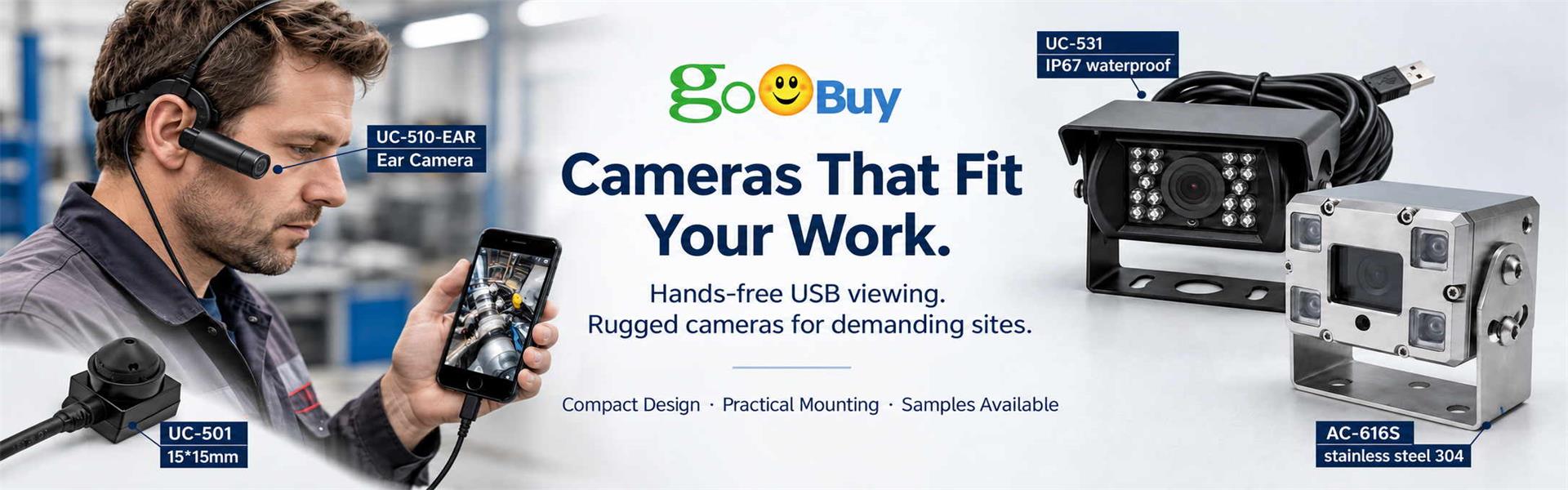
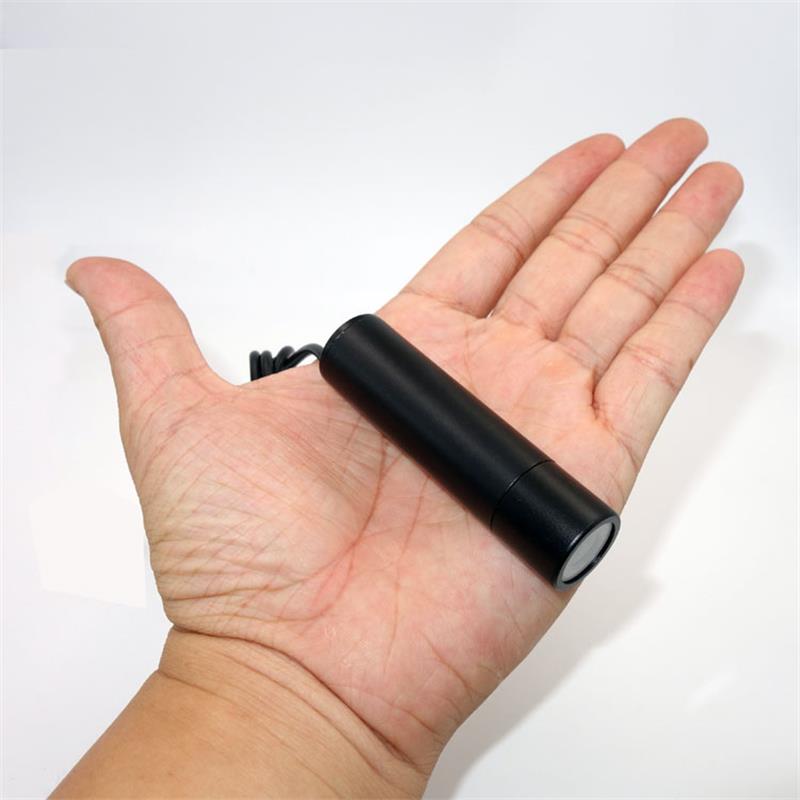
Goobuy UC-510 is a compact 19 × 42.5mm metal USB UVC camera designed for applications where the camera needs to be positioned away from the Android device, PC, display or commercial terminal. Instead of developing a new camera from scratch, equipment integrators can start with the existing UC-510 platform and select from available wide-angle, 180° fisheye, standard low-distortion and distortion-free lens options, USB-A or USB-C connections, different cable lengths and flexible gooseneck configurations. UC-510 is suited to external camera placement on Android OTG devices, commercial terminals, inspection fixtures, workstations and space-constrained equipment.
1080P | UVC | 19 × 42.5mm | USB-A / USB-C | Configurable Lens
When Does an External USB Camera Make More Sense?
When the Built-In Camera Is in the Wrong Place
The display may face the operator while the required camera view is below, behind, beside or away from the screen.
UC-510 allows the camera position to be separated from the host position.
When a Standard Webcam Is Too Large
A conventional desktop webcam may be unnecessarily large for equipment, fixtures and compact commercial installations.
The UC-510 camera head measures approximately 19 × 42.5mm.
When the Camera Needs Its Own Mounting Position
The camera can be positioned independently around a workstation, fixture, equipment panel or other suitable mounting point.
When the Host Should Stay Where It Is
Instead of moving an Android tablet or PC to obtain the required view, move the camera head closer to the target.
One Host. A Better Camera Position.
Android External Camera
External USB Camera for Android OTG Devices
An Android tablet may be in the right position for the operator—but its built-in camera may be in the wrong position for the task.
UC-510 provides an external UVC camera head that can be positioned away from a compatible Android host.
Typical Arrangement
Android Tablet
↓
USB OTG / USB-C Host Connection
↓
UC-510
↓
Remote Viewing Position
This can be useful for fixed Android tablets, commercial terminals and equipment interfaces where the display and camera require different positions.
Android Requirements
The Android device must support USB Host / OTG.
A compatible UVC camera application is required.
USB-C connector shape alone does not guarantee UVC external-camera support.
Important
UC-510 is not designed for iPhone use.
Move the Camera Instead of Moving the Tablet.
Commercial Terminal External Camera
Camera Placement Independent of the Display
Commercial terminals are often designed around the position of the user interface.
But the best display position is not always the best camera position.
UC-510 allows system integrators to separate these two design decisions.
Potential applications include:
Commercial touchscreen terminals
Service-counter systems
Information terminals
Special-purpose display systems
Equipment control terminals
The camera can be positioned closer to the actual viewing target while remaining connected to the host through USB.
The Display Serves the User.
The Camera Serves the Viewing Task.
Equipment & Inspection Fixtures
A Compact USB Camera Head for Fixtures and Workstations
Some inspection tasks require a camera at a fixed location near the object rather than on top of the computer screen.
UC-510 can be evaluated as a compact video source for:
Inspection fixtures
Assembly workstations
Service benches
Test stations
Equipment observation points
Small-part viewing
Typical Architecture
UC-510 at Target
→
USB Cable
→
PC / Android Host
The camera provides standard UVC video while the host handles display, recording or customer-side software functions.
Fixed Camera Position. Repeatable View.
UC-510 is intended as a video source. It should not be interpreted as a calibrated machine-vision measurement camera or automated inspection system.
Maintenance & Close-Range Observation
Put the Camera Closer to the Work
Maintenance and service tasks sometimes involve areas that are inconvenient to view directly from the host device.
A compact external camera can provide another viewing position around a bench, equipment panel or repair area.
UC-510 can be mounted or positioned near the work while the PC or Android display remains in front of the operator.
This configuration is different from UC-510-EAR:
UC-510: camera positioned around the work area.
UC-510-EAR: wearable camera positioned with the worker.
For fixed or semi-fixed observation, standard UC-510 is the simpler platform.
Space-Constrained Camera Placement
When a Standard Webcam Is Too Large—or in the Wrong Place
A large webcam housing, desktop stand or display-mounted camera may not fit the available space.
UC-510 packages the camera into an approximately 19 × 42.5mm metal bullet housing, allowing the camera head to be positioned separately from the host.
Typical use cases include:
Compact equipment spaces
Fixtures
Workstations
Equipment panels
Commercial terminals
Restricted mounting locations
Small Camera Head. Flexible Viewing Position.
For extremely tight embedded spaces requiring a bare PCB rather than an enclosed camera, Goobuy UC-501 may be the more suitable platform.
Bring the Camera to the Product
External camera placement can also be useful when small objects need to be shown on a PC or Android display.
Potential applications include:
Small product demonstrations
Jewelry and craft viewing
Component observation
Training workstations
Detail presentation
The lens should be selected according to working distance, target size and required field of view.
UC-510 does not automatically imply macro focusing; close-range performance depends on the selected lens and focus configuration.
Technical Specifications
|
Specification |
UC-510 |
|
Model |
UC-510 |
|
Product Type |
Mini Metal USB Camera |
|
Camera Head Size |
Approx. 19 × 42.5mm |
|
Resolution |
2MP / 1080P |
|
Interface |
USB 2.0 |
|
Video Standard |
UVC |
|
Housing |
Metal |
|
Host |
Android OTG / PC / Compatible USB Host |
|
Connector Options |
USB-A / USB-C |
|
Lens Options |
Standard / Wide / Fisheye / Low-Distortion options |
|
Maximum Fisheye Coverage |
Up to approx. 180° with selected configuration |
|
Cable |
Multiple available lengths |
|
Positioning Option |
Flexible / foldable metal gooseneck |
|
Android Requirement |
USB Host/OTG + compatible UVC app |
|
Waterproof |
No |
|
iPhone Support |
No |
|
Standard Sample MOQ |
2 pcs |
Optical Note: Exact field of view, focus range and distortion depend on the selected lens and configuration. Lens focal length alone should not be used to determine final FOV.
Flexible Gooseneck Camera Configuration
Position the Camera — Then Hold the View
For applications where the viewing direction needs to be adjusted manually, UC-510 can also be configured with an available flexible / foldable metal gooseneck.
The gooseneck allows the camera head to be repositioned without moving the host device.
Potential applications include:
Service workstations
Close-up viewing
Commercial terminals
Inspection benches
Training and demonstration systems
Bend. Position. View.
This provides a different function from a loose USB cable:
The cable connects the camera.
The gooseneck helps position the camera.
It should not be presented as a high-vibration machine mount unless the specific installation has been evaluated.
Choose the Camera Platform Around the Installation
|
Your Requirement |
Recommended Goobuy Platform |
|
Small enclosed USB camera away from host |
UC-510 |
|
Wearable / ear-mounted external camera |
UC-510-EAR |
|
Tiny bare-board camera for embedding |
UC-501 |
|
Waterproof external USB camera |
UC-533 |
|
Ethernet / ONVIF network camera |
Goobuy PoE Camera Platform |
Choose UC-510 When:
You need a complete enclosed camera head.
The camera should be separate from the host.
You need USB/UVC video.
You want to select from available lens, connector and cable configurations.
You prefer an existing camera platform rather than developing new electronics.
 office@okgoobuy.com
Follow Me
Address:A615, 6F, Huachuangda Building, No107 Xinghua 1st Road, 43 District, Xinan street, Baoan, shenzhen, China 518101